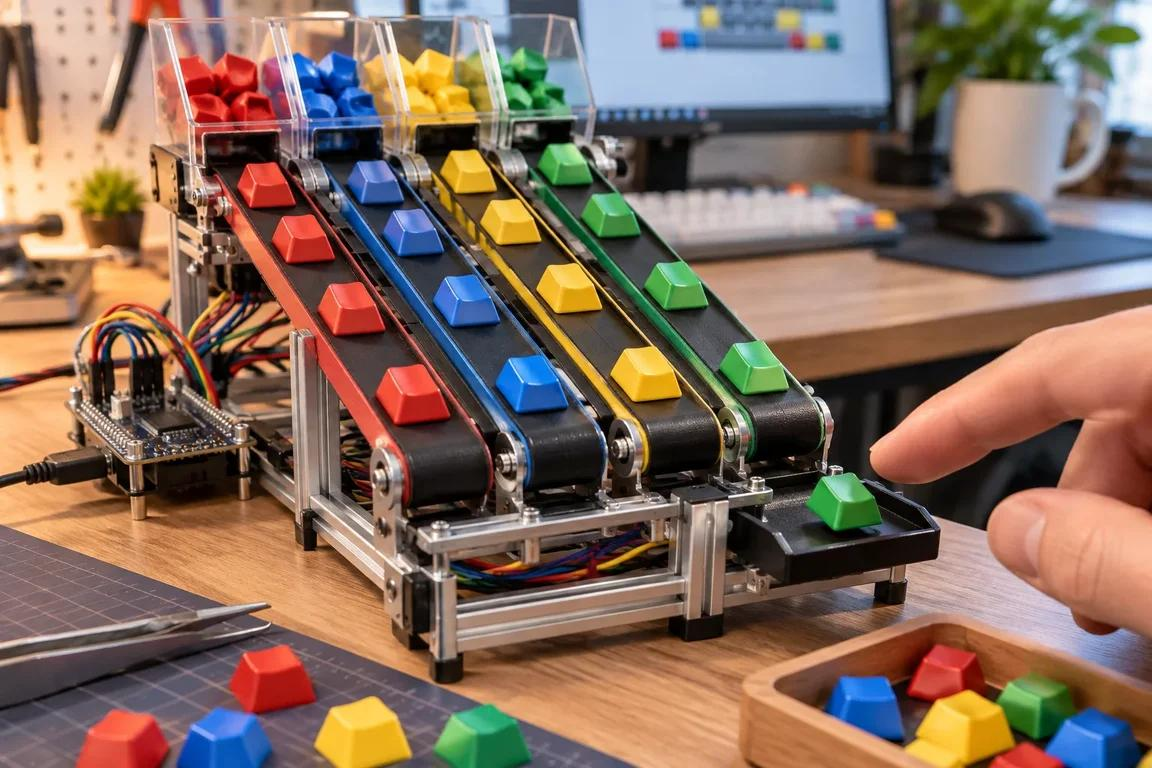
A Different Approach to One of Computing’s Most Familiar Devices
For decades, the computer keyboard has remained remarkably consistent. Whether someone is writing emails in a London office, studying at a university in Manchester or working from home in Edinburgh, the basic arrangement of keys has changed very little. Mechanical switches, membrane designs, compact layouts and wireless connections have improved the experience, but the fundamental act of typing is still familiar.
That is why unusual keyboard concepts attract attention. The idea of a keyboard with moving keys challenges the assumption that each key must remain fixed in a traditional layout. It invites a bigger question: could the next major change in computer input come from rethinking the physical interface rather than making computers faster?
For British consumers, this is more than an interesting engineering experiment. Keyboards are everyday tools used for office work, gaming, education, creative projects and communication. Even a small improvement in comfort or efficiency could make a noticeable difference to millions of people.
However, it is important to distinguish between an experimental concept and a confirmed commercial product. Unless Google officially announces a particular moving-key keyboard, its specifications, release date and availability should not be treated as established facts. The concept is still useful as a starting point for examining how keyboard design could evolve.
Why the Traditional Keyboard Is Ready for a Rethink
The modern keyboard is a product of decades of standardisation. The QWERTY layout remains dominant in the UK, although British keyboards commonly include layout differences such as the position of the pound sign and certain punctuation marks. This familiarity makes typing relatively easy to learn and allows people to move between computers without adjusting to a completely different system.
Yet traditional keyboards are not perfect for every user. Full-size models occupy valuable desk space, while compact keyboards can require unfamiliar key combinations. Some users prefer a shallow laptop-style design, whereas others enjoy the tactile feedback of mechanical switches.
There is also a difference between how people use keyboards. Office workers may prioritise comfort and quiet operation, gamers often care about response times and precise inputs, and programmers may want additional programmable keys. People who switch between several languages can face another challenge when their preferred characters are not easily accessible.
A moving-key design could explore whether the physical arrangement of a keyboard can adapt to these different requirements. Instead of forcing every user into one fixed configuration, a more flexible interface might change its layout or positioning according to the task.
That possibility is intriguing, but it would need to solve practical problems. A keyboard must remain predictable, reliable and easy to use. Innovation that makes typing confusing would struggle to win over users who depend on muscle memory.
What Could Moving Keys Actually Change?
The phrase “moving-key keyboard” can describe several possible approaches, and not all of them are equally practical.
One design might allow physical keys to shift position to create different layouts. Another might use moving components to provide changing tactile feedback. A more experimental approach could explore keys that physically rearrange themselves according to the application being used.
Each approach presents a different engineering challenge. Keys would need to move accurately, return to their intended positions and withstand repeated use. The mechanism would also need to avoid creating excessive noise, friction or maintenance requirements.
For everyday users, the potential benefit would be adaptability. A keyboard could theoretically provide a compact arrangement for travel, a more spacious layout for desktop work or specialised controls for creative applications. However, these possibilities should be regarded as design scenarios rather than confirmed features of a Google product.
Software would be equally important. The computer would need to recognise the current arrangement and ensure that the characters or commands entered by the user match the physical positions. Otherwise, a changing keyboard could become frustrating rather than helpful.
The most successful design would probably be one that makes adaptation feel effortless. Users should be able to focus on writing, creating or playing rather than thinking about how the keyboard is configured.
The Rise of Flexible Work in the UK
Hybrid working has changed how many people in Britain organise their workspaces. Employees may spend part of the week in a company office, work from a spare bedroom on other days and occasionally complete tasks from a café or shared workspace.
This flexibility has increased interest in accessories that are portable, comfortable and easy to connect. A laptop provides the computer itself, but a separate keyboard can make extended typing sessions more comfortable, especially when paired with an external monitor.
For remote workers, desk space can be limited. A compact keyboard may help keep a small home office organised, while wireless connectivity reduces cable clutter. A more adaptable keyboard could eventually offer additional flexibility, provided it remains lightweight and dependable.
The challenge is balancing portability with usability. A keyboard that folds, changes shape or moves its keys might be attractive to frequent travellers, but only if it survives everyday transport and can be set up quickly.
British employers and home workers are also increasingly conscious of ergonomics. Keyboard height, wrist position, desk layout and the placement of a monitor all influence comfort during long working sessions. A novel key mechanism would not automatically solve these issues, so any future product would need to demonstrate practical benefits rather than relying on an unusual appearance.
Wireless Keyboards Are Becoming More Capable
Wireless keyboards have moved well beyond being simple alternatives to wired office accessories. Many modern models support Bluetooth, dedicated wireless receivers, multiple device connections and rechargeable power systems.
This is particularly useful for people who work across a laptop, tablet and desktop computer. Instead of maintaining separate accessories for every device, users can switch between compatible systems with a dedicated button or shortcut.
Connectivity also affects the overall typing experience. A good wireless keyboard should reconnect reliably, minimise interruptions and provide a stable connection in a busy home or office. For gaming, responsiveness can be particularly important, while office users may care more about reliability and quiet operation.
Power management is another consideration. A keyboard battery can last for very different periods depending on the design, connection type, lighting effects and frequency of use. A basic wireless keyboard without illuminated keys may consume relatively little power, whereas a gaming model with bright RGB lighting and additional features may require more frequent charging.
For buyers, advertised battery life is best treated as an estimate rather than a guarantee. Checking independent reviews and understanding whether a device uses replaceable cells or a rechargeable internal battery can help avoid surprises after purchase.
Could an Adaptive Keyboard Improve Accessibility?
One of the more interesting possibilities of a flexible keyboard is its potential to support a wider range of users. Traditional layouts are designed around widely accepted standards, but not everyone has the same physical abilities, typing habits or accessibility needs.
Some users may find certain key positions difficult to reach. Others may benefit from larger spacing, simplified layouts or controls that reduce the number of simultaneous actions required. Software-based customisation already helps with some of these challenges, but a physical interface that can adapt could open additional possibilities.
For example, a hypothetical adaptive keyboard might present frequently used commands in easier-to-reach positions. A specialised layout could help someone who regularly uses a particular set of shortcuts for editing, coding or accessibility tools.
These benefits would depend on careful design and consultation with users. A keyboard that moves unexpectedly could create new barriers, particularly for people who rely on consistent key positions. Any adaptive system would need clear visual cues, predictable behaviour and the option to lock a preferred layout.
The aim should not be to make a keyboard complicated. It should be to give people more control over how they interact with their computers.
Gaming and Creative Work Could Drive New Designs
Gaming keyboards have already demonstrated that consumers are willing to pay for specialised input devices. Mechanical switches, adjustable actuation, programmable macros, dedicated media controls and custom lighting have turned the keyboard into an important part of a gaming setup.
An experimental moving-key system could appeal to competitive players if it offered a measurable advantage, although reliability would be essential. Gamers depend on consistent key positions and rapid responses, so a mechanism that introduces movement or delays could be a disadvantage.
Creative professionals may have different priorities. Video editors, musicians, designers and digital artists often rely on complex shortcuts. A keyboard that could adapt to different applications might theoretically provide more direct access to frequently used commands.
Imagine switching from a video-editing application to a spreadsheet and having a compatible input device offer a different arrangement of useful controls. Such a system could reduce the need to memorise complicated shortcuts, but its value would depend on how easily users could customise it.
For these markets, software integration could matter as much as the physical hardware. Profiles, application recognition and straightforward customisation would help determine whether a novel keyboard became a genuinely useful tool or simply an eye-catching accessory.
Battery Efficiency and Everyday Reliability
As keyboards gain wireless connectivity, backlighting, programmable controls and potentially more complex mechanical features, manufacturers must consider how these additions affect power consumption.
A conventional keyboard with a simple layout has relatively few demands beyond detecting key presses and communicating with a connected device. An advanced keyboard may include lighting systems, onboard memory, wireless radios and additional electronics. If a future design introduced motorised or electronically repositioned keys, its energy requirements could become more complicated.
This does not necessarily mean that a moving-key keyboard would have poor battery life. Efficient components, intelligent power management and a mechanism that activates only when needed could help limit energy use. Nevertheless, manufacturers would need to balance innovation with the expectation that a keyboard should work whenever the user needs it.
The keyboard battery also affects portability. A wireless accessory is less convenient if it frequently needs to be connected to a charging cable, particularly for people who travel between offices or work in shared spaces.
Useful features might include a clear battery indicator, automatic sleep mode and a practical charging connection. Users should also check whether a keyboard can continue operating while charging and whether its power system can be replaced or serviced if necessary.
For most consumers, dependable operation will remain more valuable than an impressive specification that comes at the expense of everyday convenience.
Price, Durability and the Question of Value
A new keyboard mechanism could be more expensive to manufacture than a conventional design. Moving components may require additional engineering, more precise assembly and greater quality control. Those costs could affect the final retail price.
British shoppers would therefore need to consider whether the benefits justify the extra expense. A standard wireless keyboard may already meet the needs of someone who mainly writes emails and documents. A more advanced device would need to provide clear advantages in comfort, adaptability or productivity to justify a premium.
Durability would be particularly important. Keyboards receive repeated physical input throughout their lives, and moving parts introduce additional opportunities for wear. Manufacturers would need to test the mechanism against dust, accidental knocks and thousands of typing sessions.
Repairability could also influence long-term value. A keyboard that develops a fault in one component should ideally not require the entire device to be discarded. Modular construction and accessible replacement parts could help reduce waste, although their availability would depend on the final product design.
Consumers should also consider warranty coverage and the manufacturer’s support arrangements. An innovative product is more attractive when buyers can expect reliable service after purchase.
How to Choose a Keyboard Today
British consumers do not need to wait for a radical design to improve their typing experience. Several practical features can make an immediate difference when choosing a keyboard for work, study or entertainment.
First, consider the layout. A full-size keyboard includes a separate number pad, which can be useful for accounting and data entry. A tenkeyless model removes that section to save desk space, while smaller layouts are easier to carry but may require additional shortcuts.
Second, think about the typing feel. Mechanical keyboards often provide more distinct tactile feedback, while low-profile and membrane models can be quieter or more compact. Neither option is automatically best for everyone.
Third, check compatibility. People using Windows computers, Macs, tablets and smartphones should confirm that the keyboard supports their devices and provides convenient access to the relevant shortcuts.
Finally, consider connectivity and power. A wired keyboard avoids charging, while a wireless model offers greater flexibility. The keyboard battery specification should be assessed alongside connection options, lighting settings and the manufacturer’s stated usage assumptions.
Trying a keyboard before buying can be especially helpful. A layout that looks attractive online may feel cramped in practice, and switch noise that seems minor in a shop could become irritating during a shared office session.
The Future of Computer Input May Be More Personal
The keyboard has survived countless changes in computing because it remains an effective way to communicate with machines. Voice control, touchscreens, handwriting recognition and gesture-based interfaces have expanded the available options, but physical keyboards continue to be essential for extended writing and precise commands.
A moving-key concept challenges designers to reconsider what this familiar tool could become. Instead of treating the keyboard as a fixed arrangement of switches, future products might explore interfaces that adapt to different tasks, users and working environments.
The commercial challenge is significant. Any new design must remain comfortable, predictable, affordable and durable. It must also provide benefits that users can understand immediately, without forcing them to relearn basic typing skills.
For Google or any other technology company exploring unconventional keyboard designs, the opportunity lies in solving genuine problems rather than creating novelty for its own sake. If an adaptive keyboard can improve comfort, simplify complex workflows or make computing more accessible, it could earn a place alongside today’s established designs.
Until an official product announcement confirms the details, British consumers should view the moving-key idea as a glimpse of possible innovation rather than a guaranteed upcoming release. Even so, the discussion highlights an important lesson for consumer technology: familiar devices can still be reinvented.
The next big keyboard breakthrough may not come from adding more keys or brighter lights. It may come from making the keys themselves work better for the people who use them every day.