
★ ★ ★ ★ Online Shop to Buy Battery, Adapter, Laptop Accessories

New POS IS803 POS Terminals & Machines 2900mAh - IS803
Rating: 
POS IS803 replacement battery With 12 Months Guarantee | Best Price
Repair your POS IS803 with our high-quality Battery replacement (IS803). Enjoy faster charging and longer battery life with this high-performance, eco-friendly Li-ion battery.
 35 people are viewing this right now.
| Item Code: | 2604BA0479C_Oth |
|---|---|
| Condition: | Brand New |
| Cell Type: | Li-ion |
| Capacity: | 2900mAh |
| Voltage: | 3.7V |
| Model Number: | IS803 |
| Compatibility: | POS IS803 |
| Warranty: | 30-days Money-Back Guarantee and 1 Year Warranty |
| Availability: | IN STOCK! |

Product Description
POS IS803 Battery replacement Features
Upgrade your POS IS803 with a replacement our powerful new battery that enhances performance and extends the life of your valuable device in your pocket-friendly price.
POS IS803 battery can replace the following part numbers:
POS IS803 battery is compatible with the follow models:
for POS IS803
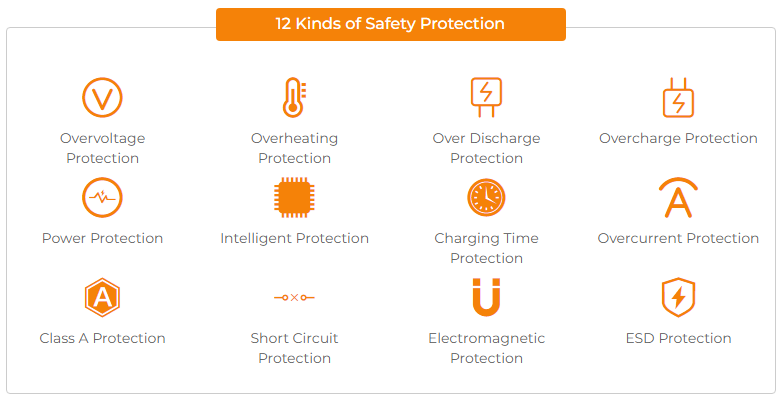
When you know it's time to replace your POS IS803 battery:
1.Your POS IS803 battery fails at 20 or 30 percent battery capacity.
2.Your POS IS803 battery lasts shorter and shorter.
3.Your POS IS803 battery is no longer charging.
4.Your POS IS803's battery indicates "repair" in battery preferences.
5.You depend on your charger to run your POS IS803.
POS IS803 Battery Charging Guidelines
Ensure the use of the correct charging cable.
Avoid fast charging if possible
Charge the battery before it depletes entirely to 0% (prior to reaching 10%)
Steer clear of extreme temperatures, both hot and cold.
Avoid engaging in activities such as watching videos, playing games, or having calls while the device is charging, as this can lead to excessive battery consumption and potential health issues.
Why Buy POS IS803 Battery From Here?
1. Our Price:
Save up to 30%, Online buying battery,you always hope get a preferential price. We make this sure by offering high quality but cheap POS IS803 Battery Replacement.
2. Our Policy:
30 days money back.
1 year quality warranty.
Free shipping to all over the world.
3. Our Quality:
We believe that our customers should receive the highest quality POS IS803 Replacement Battery. Our battery for POS IS803 passed the CE, UL, ROHS, and ISO9001 certifications. It can full charge/discharge at least 300-500 times.
4. Our Service:
We have a dedicated team of customer service executives who are eager to help you save time and money by sharing their knowledge and expertise on POS Terminals & Machines and related products.
Shipment Methods
Currently, all of our shipments are through Priority Mail (EMS USPS),if you are dealer,you can selected others .We can not offer Overnight (UPS Red) and 2nd Day Delivery (UPS Blue) .
Shipping & Handling
Free Shipping on All Products
Your order will be dispatched within 48 hours.
Estimated Delivery Time:7 - 15 Business Days
It is very easy for you to check the status of your order and locate the package during transit, as an email with a tracking number will be sent to your email address after your order has been shipped out. Tracking number will be emailed to buyer once your ordered item is shipped out.
Attention: Priority mail will be used for all PO Box shipping addresses ,But All APO's and military addresses do not apply here. Please use standard shipping for these. Thank you.
Payment Methods
Warranty
1-Year Warranty
All our high quality replacement batteries for POS IS803 come with a 1-year warranty. Warranty is applicable if the buyer has installed the battery properly in the device and has treated the battery correctly.
30-Day Money Back Guarantee
Our goal is to turn customer satisfaction into ‘Complete Customer Satisfaction’. That's why we offer you a 30-day money back guarantee, on top of our warranty and RMA procedure for defects!
Please note: in order to qualify to get your money back, you must first contact us and await instructions before sending back your product.
Returns
If you have a problem with one battery which bought from us, please contact us first. We will process your request and try to find a solution for your problem. If the problem cannot be fixed by our technical support engineer, we will generate an RMA number (Return Material Authorization) for you. If inspection concludes that the returned battery is defective, a new battery will be shipped out without extra charge.
Frequently asked questions about replacing the POS IS803 Battery
Q:How much is POS IS803 battery price?
A: POS IS803 battery price is £19.16 only at our shop. We’ll not charge you anything extra to replace your battery. Welcome.
Q:How long will my new POS IS803 battery last?
A:At ultrabookbattery.com, we work with high quality parts. We are sure of our business and work with knowledgeable specialists. That’s why we assume that after you get your POS IS803 battery replaced, you’ll be able to go on for years to come. Of course, it is important to handle your POS IS803 with care.
Q: How to check this battery is compatible with my laptop?
A: Please find out your old battery's part number or the exact model name of your laptop at first (like 'POS IS803'), then to match our product compatibility chart. Second please compare your old battery to our product images ensure their shape is same. Finally check the voltage(Rating) is same to your old battery's.Q: Does your replacement POS IS803 battery compatibles with my original POS IS803 battery?
A: 100% OEM compatible, guaranteed to meet the specifications of your original POS IS803 battery (ensue same size & high quality). And all our batteries for POS IS803 have obtained international certification( CE, UL, ROHS, ISO9001/9002 ).Q: How to Remove Replace Install and Upgrade your POS IS803 POS Terminals & Machines?
A: 1. Turn yourPOS IS803 laptop over.2. Find the laptop battery release button lock for your POS IS803 laptop.
3. Now that your POS IS803 POS Terminals & Machines is unlocked, find the battery release button down.
4. Holding the POS Terminals & Machines release button, gently pull your battery away from the laptop.
5. Now that your POS IS803 battery is removed, grab your replacement POS IS803 battery for installation.
6. Insert the battery into the slot. Push the POS IS803 battery towards the laptop and secure it in place.
Q: How To Extend Your POS IS803 Battery Life
A:1. When using a laptop, you can dim the screen. By far the biggest power drain on most laptops is the screen.2. Don't leave your Asus laptop battery on the permanent charge.It is not advantageous to charge the original POS Terminals & Machines IS803 for a long time.
3. By default, your laptop might be set to Windows’ ‘Balanced’ setting rather than Power Saver,you can customize a power plan by clicking Change plan settings next to a profile.
Related products
 battery POS IS803 POS Terminals & Machines
POS IS803
battery POS IS803 POS Terminals & Machines
POS IS803
£ 19.16£ 29.88
Latest News
- Android: How to Create Digital Invitations
- How to Connect Your Android Tablet to a TV with an HDMI Connection
- What is the right way to charge a new laptop battery?
- The Do's and Don'ts of Battery Use
- Mint for Android: How to Change the User-Agent
- How to charge a laptop without a charger
- How to Access a VPN on Your iPhone
- How to repair lithium batteries ?What is the Lithium battery repair method ?
- How to Tether an Internet Connection with an Android Phone
- Grayscale: How to Turn On Black & White Mode on Your iPhone Screen
- How to Make a Conference Call on Your iPhone



.jpg)


.jpg)
-
COMPANY INFORMATION
We are your one-stop online resource for high-quality batteries and power cells - including tablet pc replacement batteries, cell phone batteries, laptop batteries, radio batteries, power tool batteries, lighting batteries, and personal mobility device batteries.


- About Us
- Return Policy
- Payment
- Shipping
- Buyer's Guide
- Sitemap
CUSTOMER SERVICE
- Laptop Battery
- Tablet Battery
- Laptop Adapter
- Smartphone Battery
- Power Supply
- Smart Watch Battery
POPULAR CATEGORIES
popular searches:
blp885 battery model name |
sp452929sf |
5b10w13906 |
cubot x19 battery replacement |
c42n1846 |
tli028c7 |
rf03xl |
squ-1602 |
bm4y |
l32654-005
