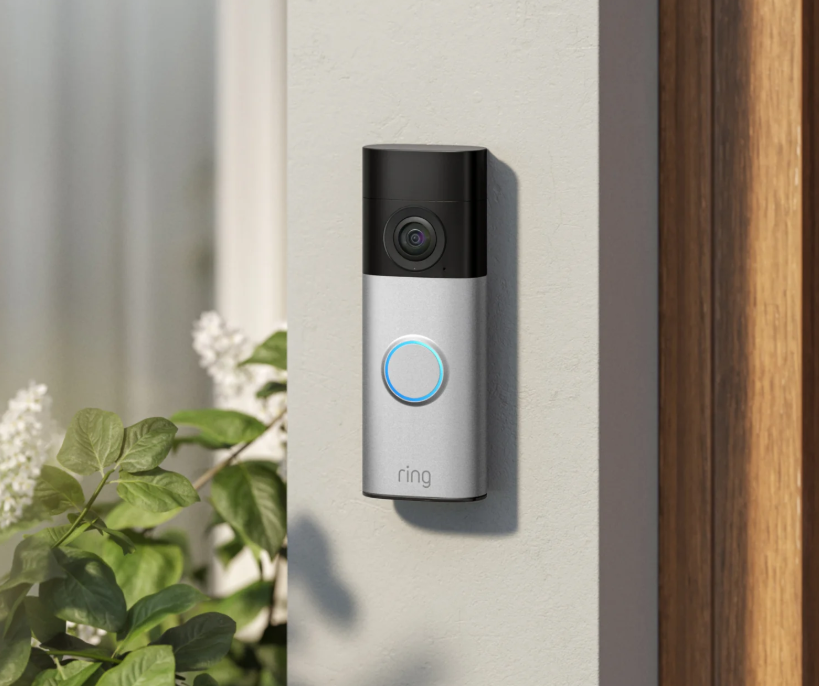
A reliable battery is essential for keeping your video doorbell working smoothly. Many Ring users wonder how long charging should take, why their battery charges slowly, and how long it can last after a full charge. Understanding your Ring video doorbell battery performance can help you avoid unexpected downtime and keep your home security system running efficiently.
This guide explains charging times, common charging problems, battery life, and practical ways to improve performance for users in the UK.
How Long Do Ring Batteries Take to Charge?
Many users ask how long do Ring batteries take to charge because charging time affects how quickly their doorbell returns to normal operation. In most cases, a Ring rechargeable battery takes around 5 to 10 hours to fully charge, depending on the charger, battery condition, and remaining power level.
If the battery is almost empty, a complete charge may take longer. Using a suitable USB power adapter and a reliable charging cable can help maintain a stable charging speed. Charging time may also vary depending on the battery model and the temperature during charging.
For people who use their video doorbell frequently, it is better to recharge the battery before it becomes completely empty. This helps reduce waiting time and ensures the device stays available when needed.
Understanding Ring Video Doorbell Battery Performance
The Ring video doorbell battery provides a convenient way to power a wireless video doorbell without requiring a permanent wired connection. It allows users to install their device in places where traditional wiring may not be suitable.
Battery performance depends on several factors, including how often the doorbell detects motion, the number of live video views, Wi-Fi signal strength, and outdoor temperature. A doorbell installed near a busy entrance or a frequently used pathway may consume more energy because it activates the camera more often.
For UK users, seasonal weather changes can also affect battery performance. Cold temperatures may temporarily reduce battery efficiency, which can make the battery level decrease faster than usual.
Ring Battery Charger Instructions YouTube: Common Charging Guidance
Many users search for Ring battery charger instructions YouTube when they need help understanding how to remove the battery, connect the charger, and check charging progress.
Video tutorials can be useful for beginners because they usually show the charging process visually. In general, users need to remove the rechargeable battery from the doorbell, connect it to a USB charger, wait until charging is complete, and then reinstall it into the device.
Before charging, it is helpful to check that the charging port is clean and the cable is connected properly. Dust, loose connections, or damaged cables may prevent the battery from charging normally.
How Fast Does a Ring Battery Charge?
Many people ask how fast does a Ring battery charge because they want to know how quickly their doorbell can return to operation. Charging speed depends on several factors, including battery capacity, charger power, cable condition, and the remaining battery level.
A battery with some remaining power usually charges faster than a completely empty battery. A suitable power adapter and a good charging cable can help maintain a consistent charging speed.
If charging seems slower than expected, checking the charger and cable is a good first step. In some cases, an ageing battery may also require more time to reach full capacity.
How Do I Know When the Ring Door Battery Is Fully Charged?
A common question among users is how do I know when the Ring door battery is fully charged. The charging indicator provides the main way to check the battery status while it is connected to power.
During charging, the indicator light shows that the battery is receiving power. When charging is finished, the indicator changes to show that the battery has reached full capacity. Users can also check the battery level through the Ring app after placing the battery back into the doorbell.
Knowing when the battery is fully charged helps users reinstall it at the right time and avoid unnecessary charging delays.
Why Is the Ring Battery Taking So Long to Charge?
Some users wonder why is the Ring battery taking so long to charge when the charging process seems much slower than expected.
There are several possible reasons. A low-power charger, worn charging cable, loose connection, or dirty charging port can all affect charging speed. Battery age is another factor because older batteries may lose efficiency and take longer to recharge.
Temperature can also influence charging performance. Very cold or hot environments may slow down charging to protect battery health. Checking the charging accessories and using the battery in suitable conditions can often improve charging performance.
What Drains a Ring Battery Quickly?
Many Ring owners ask what drains a Ring battery quickly because unexpected battery loss can interrupt their home security system.
Frequent motion detection is one of the biggest causes of battery drain. When the camera activates repeatedly because of people, vehicles, pets, or outdoor activity, the battery is used more quickly.
Other factors include frequent live video streaming, weak Wi-Fi signals, and extreme weather conditions. A weak connection may cause the device to use more energy while trying to maintain communication with the network.
Adjusting motion settings, improving Wi-Fi coverage, and reducing unnecessary live views can help extend battery life.
How Long Does a Fully Charged Ring Battery Last?
Many users ask how long does a fully charged Ring battery last because battery lifespan affects daily convenience.
A fully charged battery can often last several weeks or months depending on usage conditions. However, heavy activity, frequent alerts, long live video sessions, and poor network conditions may reduce operating time.
A quieter home environment usually allows the battery to last longer, while a busy entrance area may require more frequent charging. Regularly checking battery levels and adjusting settings based on actual usage can help improve battery performance.
Tips to Improve Ring Battery Life
Maintaining good battery performance does not require complicated steps. Checking the battery level regularly, charging before the battery is completely empty, and keeping the charging connection clean can help maintain reliable operation.
Users can also reduce unnecessary battery consumption by adjusting motion sensitivity, limiting unnecessary notifications, and improving Wi-Fi signal strength near the doorbell.
For households that use their video doorbell frequently, keeping an additional charged battery can make daily use more convenient. One battery can power the device while another battery is being charged.
Final Thoughts on Ring Battery Charging and Performance
Understanding charging times, battery usage, and common charging problems can help users get better results from their Ring video doorbell battery.
Whether you are searching for how long do Ring batteries take to charge, how fast does a Ring battery charge, or how long does a fully charged Ring battery last, the answer depends on charging equipment, battery condition, usage habits, and environmental factors.
With proper charging methods and simple maintenance, a Ring battery can provide reliable performance and help keep your video doorbell working effectively throughout the year.