When a School Login Becomes a Household Expense
For many families across Britain, preparing a child for school no longer means buying only a uniform, stationery and a school bag. It may also mean finding the money for a laptop, a tablet, a reliable internet connection and, eventually, the cost of replacing equipment that has become too slow or unreliable.
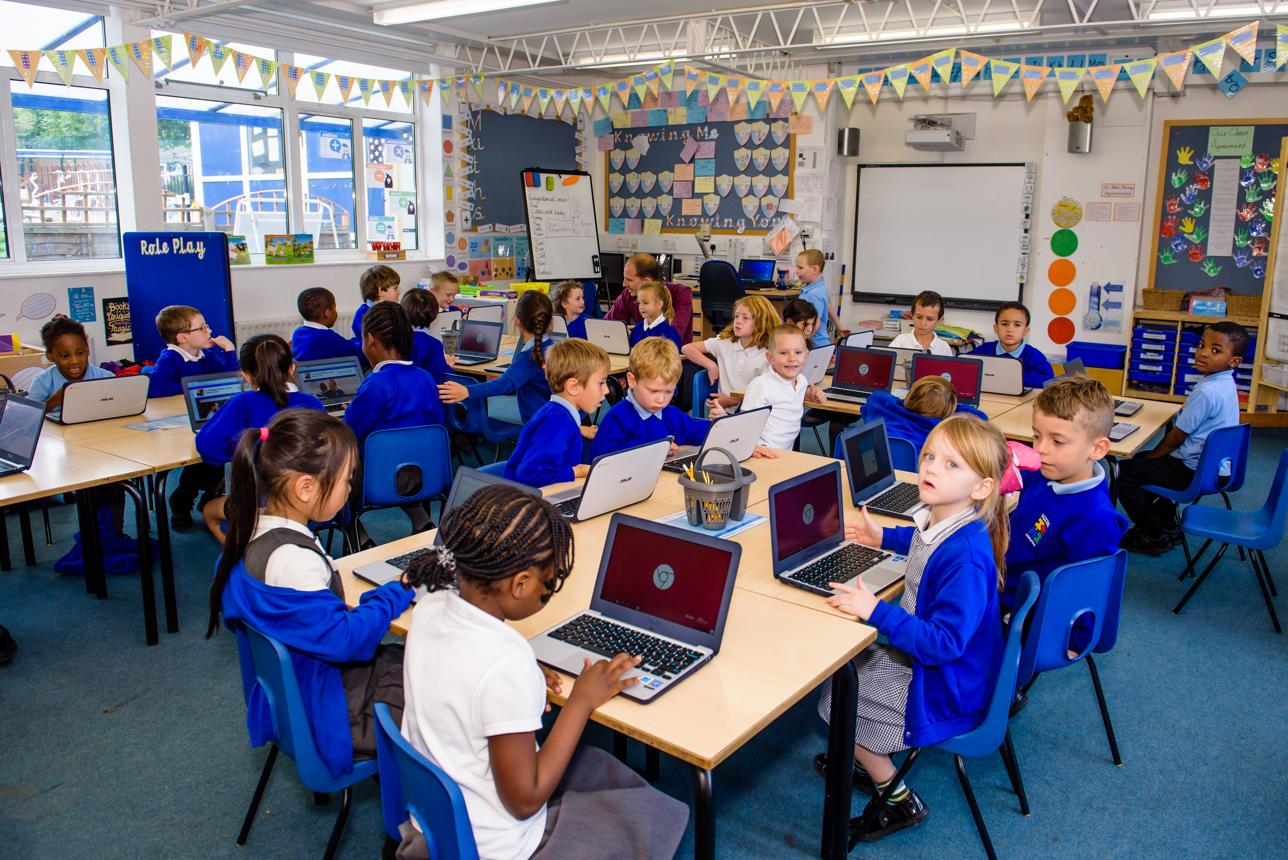
Digital learning is now woven into everyday school life. Children may be expected to check homework through online platforms, download worksheets, research projects, submit assignments and communicate with teachers digitally. A computer is no longer simply an optional extra for a child who enjoys technology. In many households, it has become an important part of keeping up with school.
But what happens when a family cannot afford one suitable device for every child?
The problem is not necessarily that a household has no technology at all. A parent may own a smartphone, an older child may have a laptop, and younger siblings may share a tablet. Yet having a device in the home is not the same as having reliable access to equipment that is suitable for learning. For parents already managing rent, food, transport, energy bills and school expenses, buying another computer can be a difficult decision.
Britain’s digital divide is increasingly visible around the kitchen table, where families have to work out who gets to use the laptop, when homework can be completed and whether an ageing device will survive another school year.
The Hidden Cost of Being a Digital Student
The price of a laptop is only the beginning. Families may also need to pay for software, accessories, repairs, broadband and replacement equipment. A child who uses a tablet for reading and basic classroom activities may eventually need a keyboard-equipped laptop for longer written assignments, presentations or more demanding educational software.
This creates a particular challenge for households with several school-aged children. One computer might be manageable when there is only one child doing online homework. It becomes much harder when two or three children need to use it at the same time.
Research published by the UK Government on parents’ and carers’ experiences of child poverty highlights the pressure of school-related digital costs. Families described rotating devices between children, while some felt that schools assumed every household had access to enough computers and a reliable internet connection. One parent explained that moving to an online classroom system could mean needing a laptop for each of four children, alongside a better broadband package.
For parents, the issue is not simply whether they want to buy the latest technology. It is whether they can afford the basic equipment their children need to participate fully in lessons.
Sharing One Laptop Can Disrupt the Whole Family
Imagine a household with two children: one preparing for GCSE exams and another in primary school. Both have homework to complete online. The older child needs the laptop to write an essay, while the younger one needs it to access a maths activity. Their parent may also need the same computer to complete work-related tasks or manage household paperwork.
The result is a timetable that nobody planned.
Some children end up doing homework late in the evening because the computer is occupied earlier. Others try to complete assignments on a parent’s smartphone, even when the screen is too small and typing is uncomfortable. A slow laptop can turn a short task into a frustrating exercise in waiting for pages to load and files to open.
Ofcom’s children’s media literacy research has highlighted the scale of this access problem. Its 2025 report found that 30% of parents of school-aged children said their child did not always have continuous access at home to an appropriate internet-connected device for schoolwork. Among primary-school children, the proportion was 39%, compared with 18% for secondary-school children. Some families shared devices, borrowed equipment or postponed homework until a suitable device became available.
These figures illustrate why device access is about more than ownership. A child needs access at the right time, on equipment capable of running the required applications and with enough time to complete the work.
Why a Smartphone Is Not Always a Substitute
It is tempting to assume that children can simply use a smartphone if a family cannot afford a laptop or tablet. Smartphones are powerful, portable and familiar to most young people. They can be useful for checking messages, watching educational videos, looking up information and completing short online activities.
However, a phone is not a complete replacement for a computer.
Writing a long assignment on a small touchscreen can be tiring. Switching between research materials and a document is less convenient, while spreadsheets, presentations and certain school platforms may be difficult to use. Uploading files, organising folders and editing documents can also be more complicated.
For younger children, a tablet may offer a more comfortable screen for reading, interactive exercises and educational games. But tablets have limitations too. Some school tasks require a physical keyboard, specialist software or several windows open at once. A device that works perfectly well for watching lessons may not be suitable for producing a detailed project.
Parents therefore face a difficult choice: buy a cheaper device that may not meet every school requirement, or spend more on a laptop that could put additional pressure on the household budget.
The Repair and Replacement Problem
Buying a device is one expense; keeping it usable is another.
Children carry their technology between rooms, school bags and family spaces. Screens can crack, charging ports can become loose, keyboards can stop responding and storage can fill up. Even without physical damage, older computers may struggle with newer software or security updates.
A family that has stretched its budget to purchase a laptop may not have enough money available to replace it when it breaks. A repair bill can be especially difficult to manage when several other household expenses arrive at the same time.
Battery performance is another part of everyday usability. A tablet that once lasted through a school day may gradually need charging more frequently. If a child relies on it for reading, revision or online lessons, poor battery life can make the device less dependable. Parents may eventually need to consider whether a replacement tablet battery is a sensible way to extend the life of an otherwise functional device.
That decision is not always straightforward. The cost of repair needs to be compared with the age, condition and performance of the tablet. If the screen is damaged, storage is insufficient and the software is no longer supported, replacing one component may not solve the wider problem.
For families trying to make every purchase count, understanding the difference between a repairable fault and an outdated device can help prevent unnecessary spending.
The Additional Pressure on Families with Disabled Children
The cost of digital access can be even more complicated for families raising disabled or seriously ill children. Some children depend on technology not only for schoolwork but also for communication, accessibility, organisation and emotional wellbeing.
A standard laptop may not meet every child’s needs. Families might need specialist software, adapted keyboards, communication tools, larger screens or additional devices that support learning and daily activities. These requirements can make a basic technology budget much more expensive.
Family Fund’s 2026 report, Digitally Excluded, surveyed 660 families raising disabled or seriously ill children across the UK. It reported that 93% of respondents were digitally excluded or at risk of digital exclusion. The report also found that 89% of parents and carers were struggling to afford internet access and the cost of buying, maintaining and replacing devices, apps and assistive software.
These findings show why a one-size-fits-all approach to school technology is unlikely to work. A device that is adequate for one pupil may be unsuitable for another. Digital inclusion must consider accessibility, maintenance and ongoing support, not just whether a family has received a computer.
Is the Government Doing Enough to Close the Digital Divide?
The UK Government has recognised device poverty as part of its wider digital inclusion agenda. Its Digital Inclusion Action Plan: One Year On, updated in August 2026, states that around 1.7 million UK households do not have a laptop, tablet or desktop computer. It also highlights plans to encourage the donation and reuse of devices that would otherwise remain unused or be thrown away.
The approach matters because many households may benefit from equipment that already exists but is no longer needed by its original owner. Businesses, public bodies and individuals can all potentially contribute by donating suitable devices, while community organisations can help distribute them to people who need them.
However, a donated laptop is only useful if it works properly, has appropriate software and can connect reliably to the internet. Families may also need help setting it up, keeping it secure and understanding how to use educational platforms.
A successful scheme should therefore involve more than handing over a box of old computers. Devices need to be checked, cleaned, repaired where necessary and matched to the needs of the child receiving them. A primary-school pupil may benefit from a simple tablet, while a secondary-school student studying more demanding subjects may need a laptop with a keyboard and sufficient processing power.
Could Refurbished Technology Be the Answer?
For families unable to afford new equipment, refurbished laptops and tablets can offer a more realistic alternative. A professionally refurbished device may cost considerably less than a new model while still handling everyday school tasks.
But parents need to look beyond the advertised price. A low-cost laptop may have limited memory, insufficient storage or a battery that no longer holds a useful charge. Some older models may also be unable to run the latest operating system or receive important security updates.
Before buying, families should consider what the school actually requires. Does the child need to write essays, join video lessons, use a particular learning platform or create presentations? Is a touchscreen important, or would a traditional laptop be more practical? Does the device come with a warranty, and can it be repaired if something goes wrong?
The condition of the battery is particularly relevant for portable devices. A refurbished tablet with a worn tablet battery might look like a bargain but become frustrating if it needs to remain plugged in during lessons. Checking battery condition, charging performance and replacement options can help parents avoid buying equipment that is cheap initially but unreliable in daily use.
Schools and charities could also help by publishing clear minimum device specifications. That would make it easier for parents to choose affordable equipment without worrying that a cheaper model will be rejected by a learning platform.
Schools Can Help Without Making Parents Feel Left Behind
Schools are often the first places to notice when children struggle to access digital learning. A pupil may repeatedly miss online homework deadlines, arrive without a charged device or explain that a computer is being shared with siblings.
These situations should not automatically be treated as a lack of effort. Teachers and school leaders can help by making device-lending schemes easier to access, providing clear information about available support and allowing alternative ways to complete essential tasks when home technology is unavailable.
Schools could also review how much work genuinely needs to be completed online. Digital tools can make learning more engaging, but requiring every activity to be completed through a computer may unintentionally disadvantage pupils who have limited access at home.
A balanced approach would recognise that technology can improve education without assuming that every family can afford the same equipment. Where possible, schools could offer access to computers before or after lessons, provide loan devices and work with local charities to identify households that need assistance.
The Environmental Case for Repairing and Reusing Devices
There is another reason to take device access seriously: electronic waste.
Millions of phones, tablets and computers are replaced while many still contain usable components. Some are left in drawers because owners do not know where to donate them; others are discarded because a relatively minor fault makes them inconvenient to use.
A better repair-and-reuse system could address two problems at once. Suitable devices could be checked, securely wiped, repaired and passed to families who need them. This would reduce pressure on household budgets while helping keep electronic equipment in use for longer.
Not every old device should be donated. Equipment that cannot receive security updates or run essential educational software may create more problems than it solves. But a carefully managed refurbishment programme could make a meaningful difference, especially when combined with technical support and clear quality standards.
For parents, repairing an existing tablet may sometimes be more affordable than purchasing another one. If a device is otherwise in good condition, replacing a worn tablet battery could extend its useful life and reduce electronic waste. The important point is to assess the whole device rather than assume that every repair will be worthwhile.
Education Should Not Depend on a Family’s Shopping Budget
The debate about laptops and tablets in British schools is ultimately about opportunity. A child should not have to wait until a sibling finishes homework before accessing an online lesson. Nor should a pupil feel embarrassed because their family cannot afford the equipment that classmates use every day.
Technology can support independent learning, creativity and confidence. It allows children to research topics beyond the classroom, practise new skills and become familiar with tools they may later encounter in further education or employment. But those benefits are not shared equally if access depends entirely on household income.
The latest government and charity research suggests that device poverty remains a real issue, even as digital services become more central to everyday life. The answer will require cooperation between schools, local authorities, charities, technology companies and government.
Parents should not have to choose between replacing a broken computer and paying another essential bill. A practical combination of device lending, refurbished equipment, affordable connectivity, repair support and flexible school policies could make digital learning more accessible.
A laptop or tablet may look like an ordinary household purchase. For a child trying to finish homework, prepare for exams or explore a future career, however, it can be a gateway to opportunity. Britain’s challenge is to make sure that gateway does not remain open only to families who can afford the latest technology.